|
Create a Rule based on a Formula |
  
|
| Show/Hide Hidden Text |
|
Create a Rule based on a Formula |
|
| Show/Hide Hidden Text |
To create a Rule based on a Formula follow the steps below:
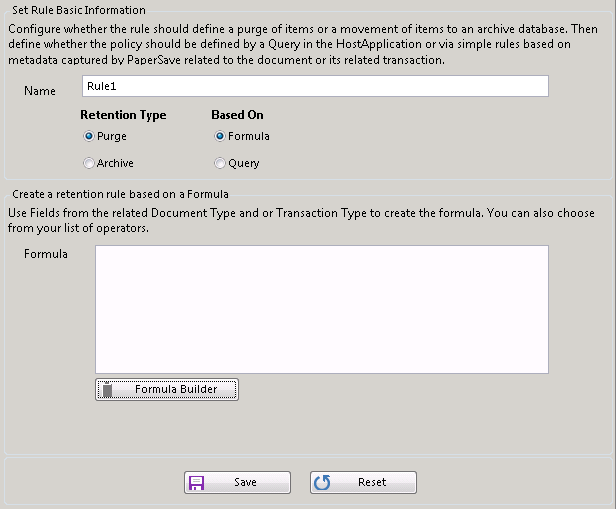
1. Select "Formula" under the Based On category in the Set Rule Basic Information tab and it will reveal the following section below:
 |
| Click on image to magnify/shrink |
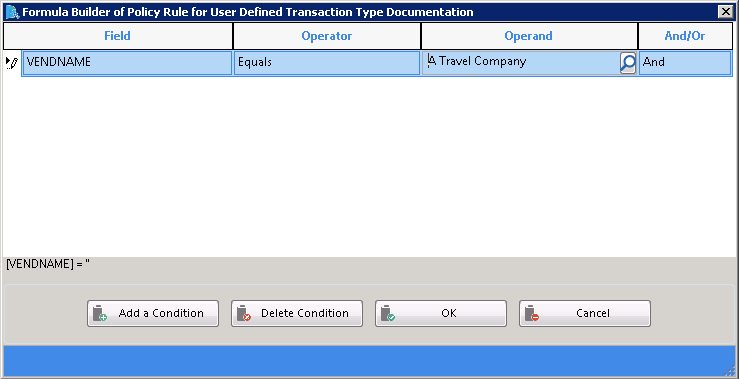
2. Click Formula Builder button and a window will open as shown below:
Click on image to view magnify and shrink print screen.
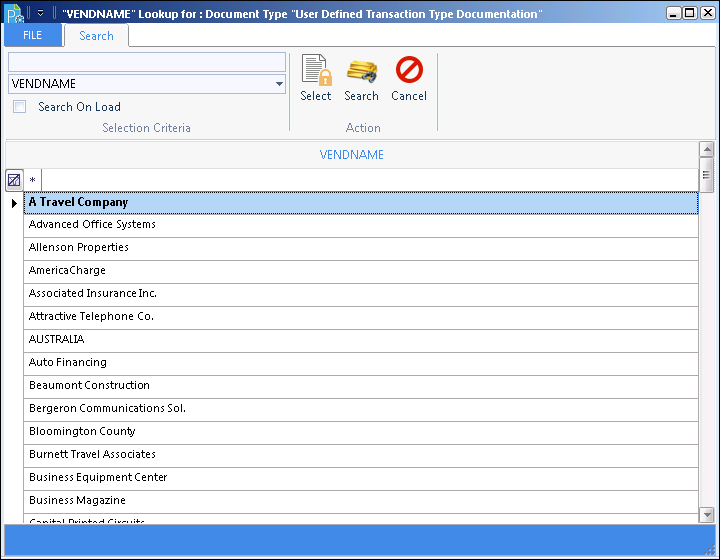
3. Select the "Field" for which you want to add the Condition, select the Condition Operator from the Operator drop-down list, and then to enter a Operand value in the "Operand" field, click  which will show you the following:
 |
| Click on image to magnify/shrink |
4. Click Search and select the value from the Value list and click Select to select into the Operand.
5. Select the And or OR option from the "And/Or" drop-down list if you want to add multiple conditions.
6. Click Add a Condition button to add another Condition.
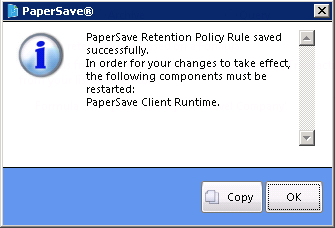
7. Repeat steps 1 to 5 as per the required times and click the OK button then click Save to save and the following confirmation window will appear:
Note: |
You can even use the profile fields or host application record data. Each Rule created corresponds to a single Document Type. |