|
MultiAssociation |
  
|
| Show/Hide Hidden Text |
|
MultiAssociation |
|
| Show/Hide Hidden Text |
PaperSave MultiAssociation Service is an integral part to operate Multi-Association features. This service indexes the databases of PaperSave integrated Applications to derive inter-relationships between PaperSave documents by discovering inter-relationships between the integrated application's records.
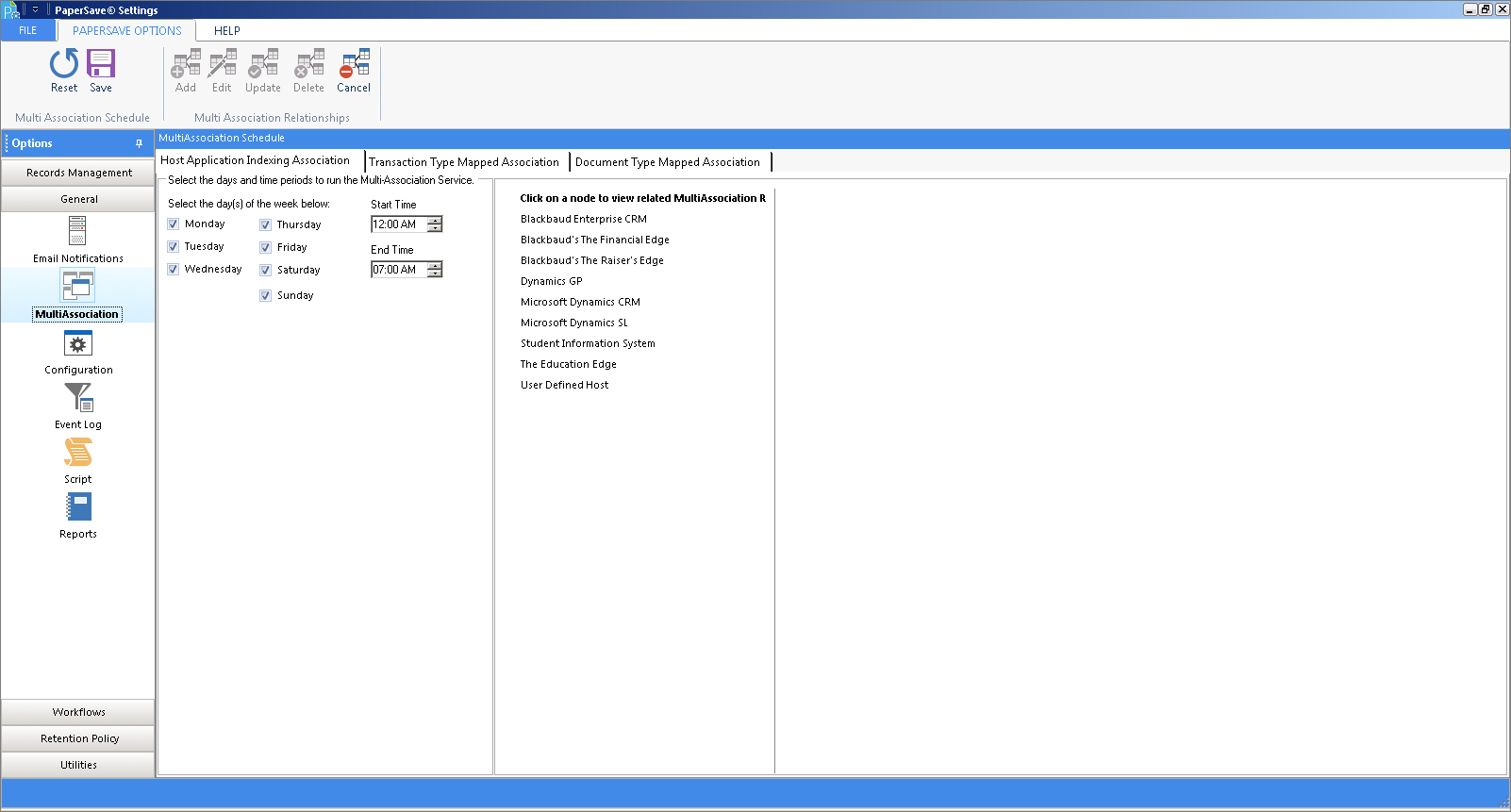
MultiAssociation Setting will run the PaperSave Multi-Association Service as per the scheduled day(s) and time.
To schedule the MultiAssociation service:
1. Click on MultiAssociation under General TAB and following section will be displayed.
2. Select the appropriate check boxes for the day(s), set the Start Time & End Time during which you want to run the PaperSave MultiAssociation Service.
3. Click on Save button to save the changes or click on Reset button to set the default settings.
 |
| Click on image to magnify/shrink |