|
SequenceActivity |
  
|
| Show/Hide Hidden Text |
|
SequenceActivity |
|
| Show/Hide Hidden Text |
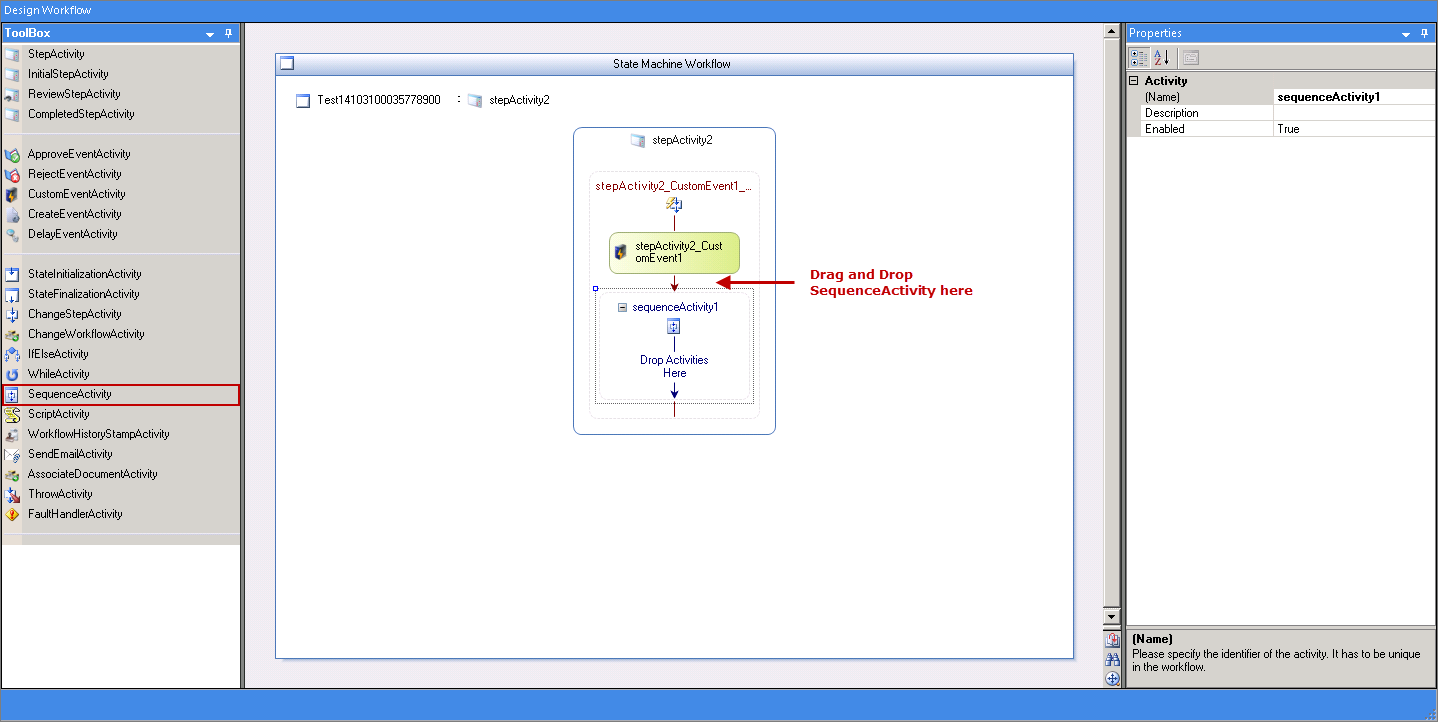
Sequence Activity is used to execute multiple events within a While Activity. Let us understand this activity using below example:
1. Drag and Drop SequenceActivity within an Event Activity, for example: CustomEventActivity as below:
 |
| Click on image to magnify/shrink |
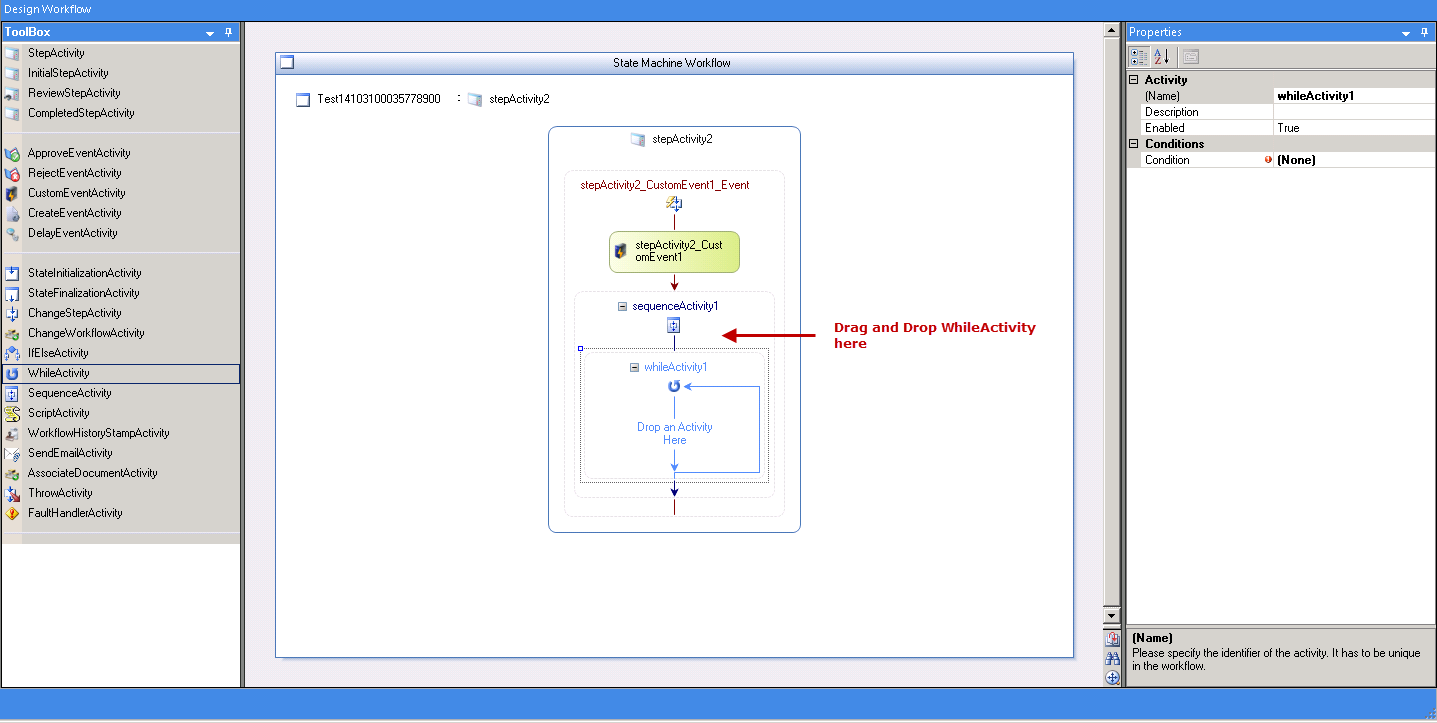
2. Now you will have to drag and drop WhileActivity within SequenceActivity as displayed below:
 |
| Click on image to magnify/shrink |
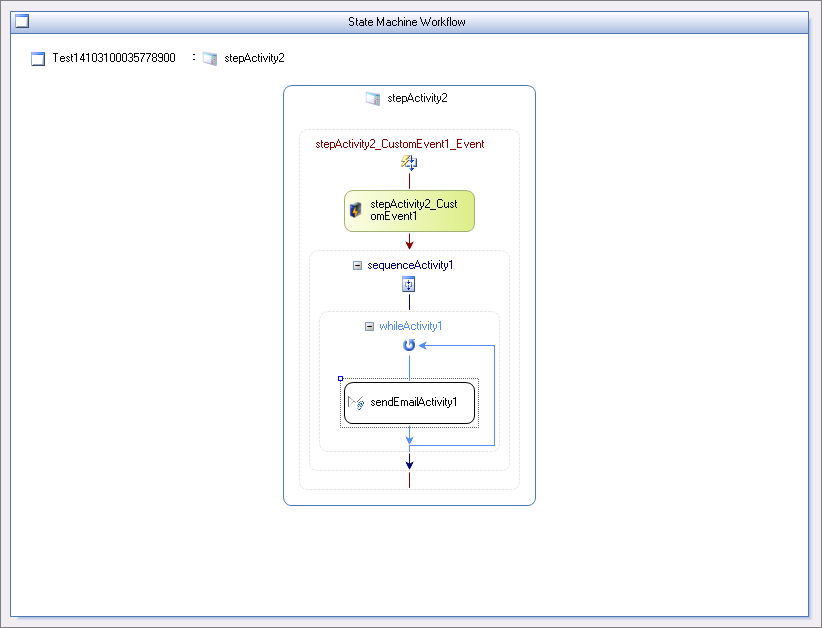
3. Now within a WhileActivity, you have the ability to drag multiple event activity as per the requirement. For example, let us drag and drop sendEmailActivity as displayed below.
You can write the condition for WhileActivity in a manner you would like the events to be executed.
 |
| Click on image to magnify/shrink |