Audit Details Search
This module enables you to view the audit details for various actions performed in PaperSave by selected users for a specific date range.
Note: You must define your preferences for "Audit Configurations" before searching for Audit Details. Click here to learn more about Audit Configurations.
Watch the video to know the use of Audit Details Search.
Search result list
Once you have selected the Search filters (as shown in the above video), click on Search to view the results as shown below:
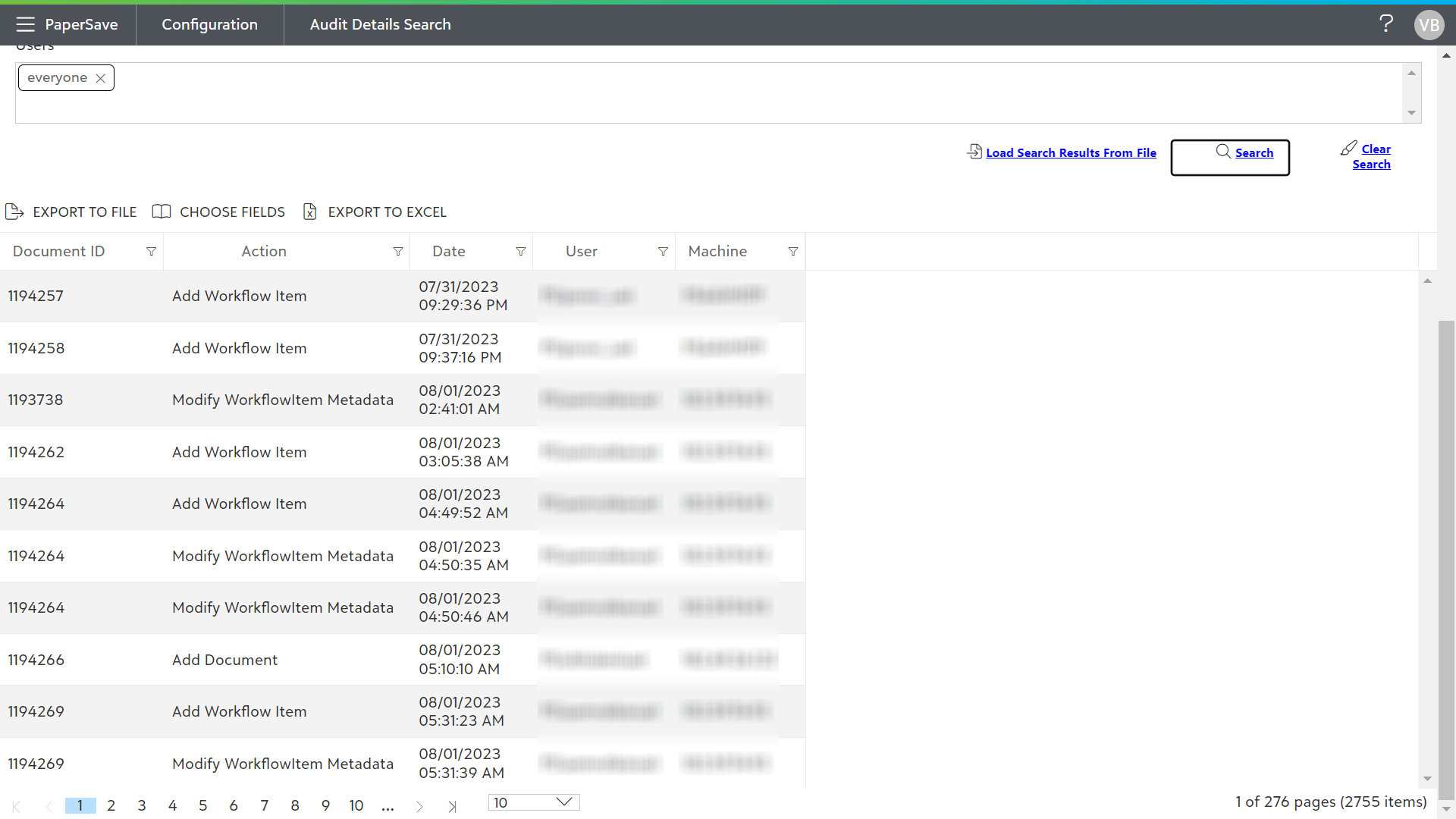
The following is a description of list toolbar options:
- EXPORT TO FILE: Click on this option to export the results list to a file. The default file name will be "AuditLogBackup ”+Datetime with .pslog extension.
- CHOOSE FIELDS: This option enables you to configure the desired column fields to be displayed in the current list. Select the fields in the Choose Fields dialog box to view the corresponding column in the list.
- EXPORT TO EXCEL: Click on this option to export the log file in an excel format.
View individual Audit Detail Search Result
Follow the below steps to view individual Audit Details:
1) Double click on the individual item row to view the details for that specific item.
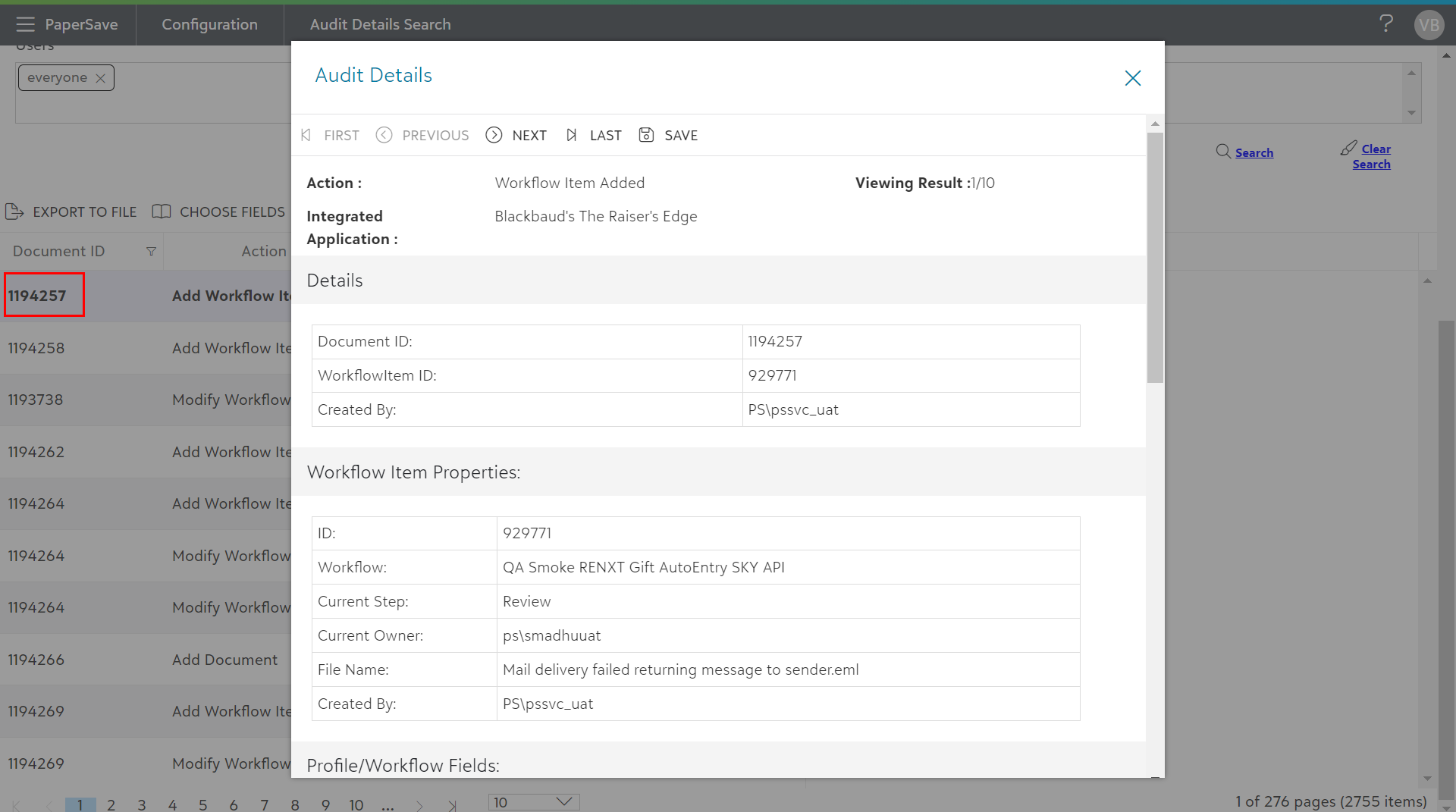
2) Audit Details dialog box will appear. Here you will see a toolbar with navigation buttons to move between items in the audit details results list.
The following is a description of various toolbar options in the Audit Details dialog box:
- First: Move to the first item of the audit details results list.
- Previous: Move to the previous item of the audit details results list.
- Next: Move to the next item of the audit details results list.
- Last: Move to the last item of the audit details results list.
- Save: Audit log details will be saved in a .HTML format with default name as “auditdetails”.
3) You can also save the Audit log details by clicking Save button from the toolbar in audit details dialog box.
4) The Audit Details are categorized into various sections based on the actions viewed by the user.