
Licensing and Active Users
PaperSave offers concurrent Licensing that allows you to use PaperSave on multiple Workstations, ensuring that the number of simultaneous users logged in at the same time does not exceed the number of purchased licenses.
The “Licensing and Active Users” page provides your PaperSave Administrator with a way to monitor the current license usage and view all the users who have acquired a license and are currently logged into PaperSave. Also, you can forcefully end the PaperSave session of a particular user should it be necessary.
Watch the video to know about PaperSave Licensing and Active Users.
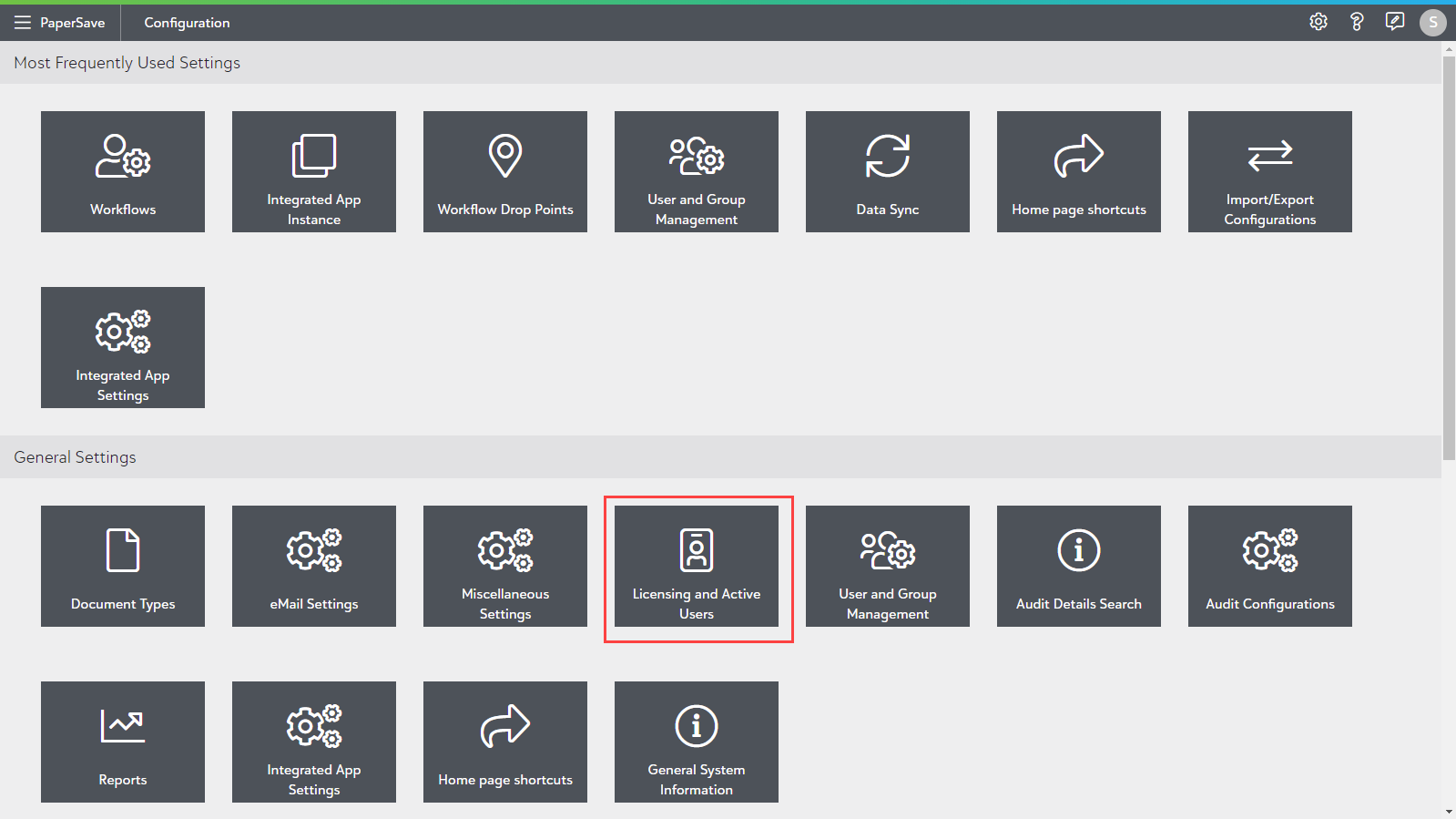
- Click on the “Licensing and Active Users” tile in the Configuration Area's General Settings section to access this area/page.
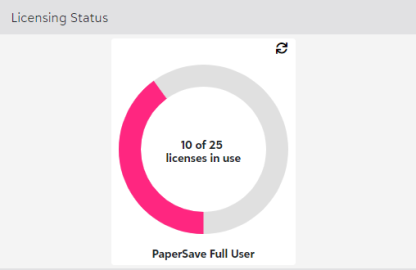
Licensing Status
The "Licensing Status" section at the top of the page displays the current number of licenses in use vs. the total number of licenses with a Refresh icon at the top-right corner to update the number of licenses in use.
Active Users
The "Active Users" section in the lower area of the page displays the list of Users who are currently using PaperSave with detailed information about their session(s) as shown below:
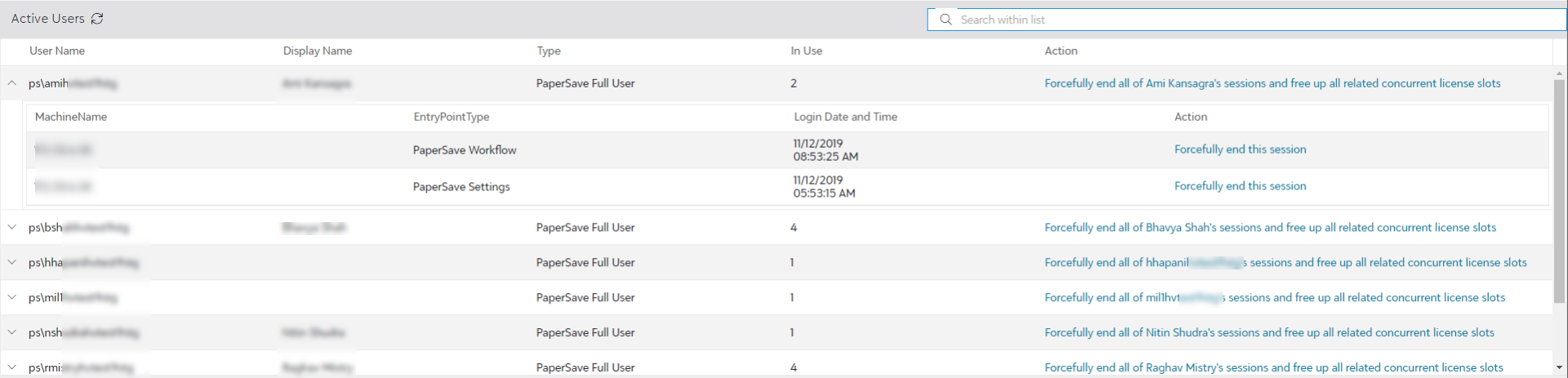
Note: You can enter a keyword (relevant text) in the “Search within list” box to quickly find a specific user.
The fields available in the Active Users screen are:
- User Name: Displays the Username of the logged-in user.
- Display Name: Shows the display name based on the user's Display Name configured in Users in the User & Group Management.
- License Type: Displays the user’s (license) type.
- In Use: Displays the number of licenses in use by that user.
You can view the details of the License for a particular user by clicking on the arrow next to the User Name as shown in the below screen:
- Machine Name: Displays the name of the machine from which the user is logged into PaperSave.
- EntryPoint Type: Displays the name of the PaperSave Area being used by the user.
- Login Date and Time: This column displays the date and time the user logged into the particular PaperSave module.
- Action: You can choose to forcefully end the ongoing user session and free-up the related concurrent license slots.

REFRESH ACTIVE USERS LIST
Clicking on Refresh updates the list of active users.
Tip: PaperSave enables a pool of licenses to be shared across a group of authorized users, with the licensing mechanism ensuring that the concurrent number of licenses never exceeds the purchased licenses.
You can contact your PaperSave representative to procure additional licenses.