
PaperSave 6 style email notifications - Per Item
For notification style defined as "Per Item", you will receive the email notification in the following format. The email notification subject includes the Workflow item ID.
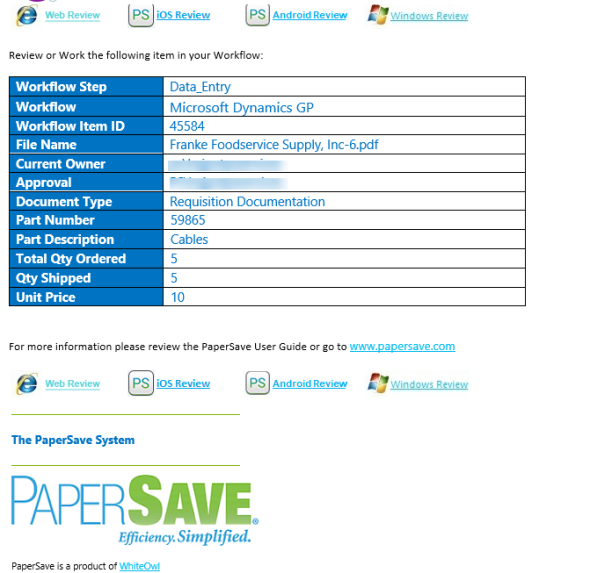
The email for Per Item notification style is divided into the following sections:
1) Workflow Item Details: This section displays Workflow Fields/Document Type fields by default, which includes Workflow Step, Workflow name, Workflow Item ID, File Name, Current Owner, Approval and Document Type and all fields as configured in Workflow.
2) Review Using: This section provides you the following ways to review the Workflow item. You can click on the review hyperlink to view the Workflow item in respective PaperSave application variant.

- Web (review the item in a browser)
- iOS device (review the item in PaperSave iOS application)
- Android device (review the item in PaperSave Android application)
- Windows (review the item in a desktop application)