Saving search queries
1) To save the search criteria, click on the “Save Search” option from the list toolbar, as shown below.
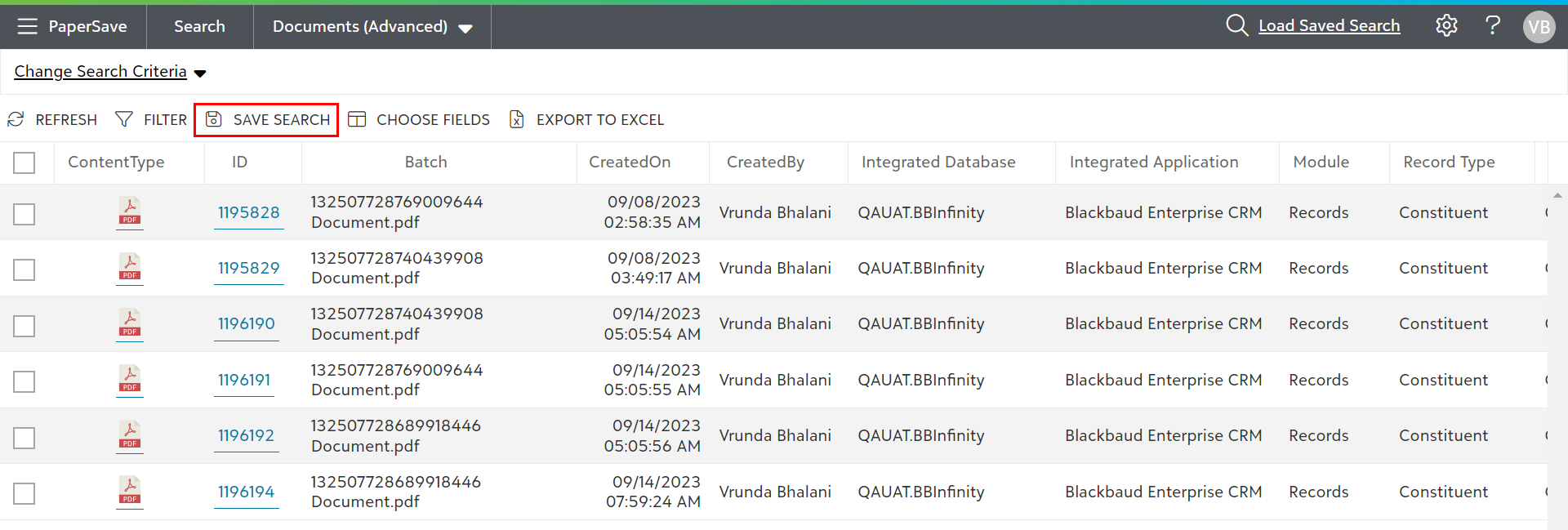
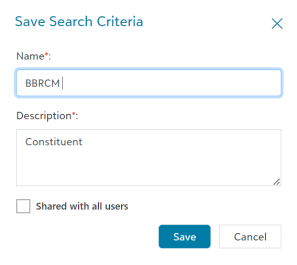
2) When you click on the “Save Search” option, a dialog box will pop-up where you need to enter a name and description for the saved query.
3) You will notice the “Shared with all users” option in this dialog box, which you can enable to share your query with other users.
Note: Sharing your query will require you to enter the Master password before saving.
4) Once you enter the Master password, your query will be saved and available for all PaperSave users, as shown below.