
Browsing documents within Integrated App records
The Browse Area facilitates you to browse the instances of the type of records in an integrated application that PaperSave is integrated into.
Watch the video covers how to browse Integrated app records.
You can choose the context for an Integrated application from the tree view on the left corner of the screen as shown below:
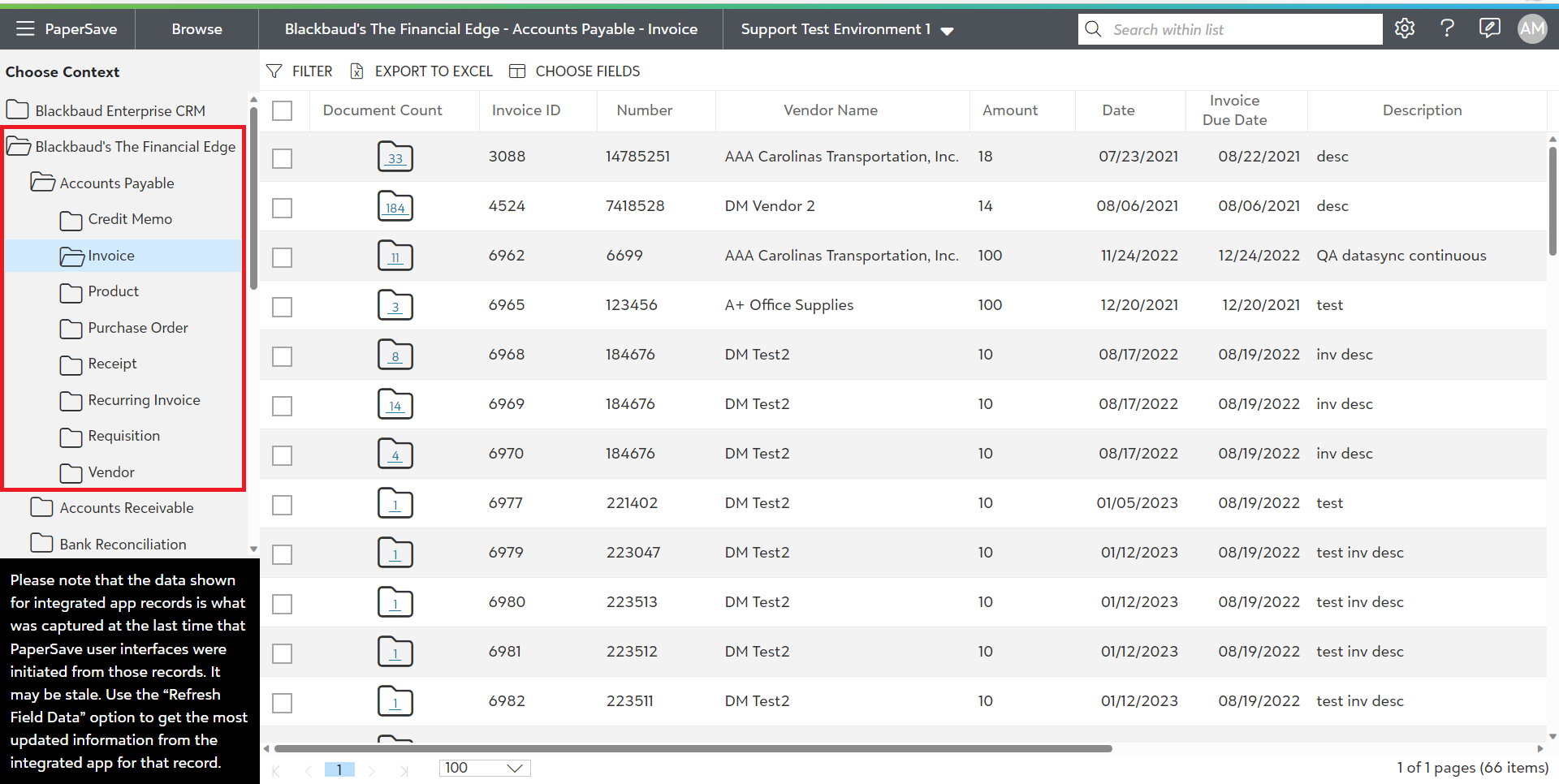
The above screen shows the list of records for the record type "Constituent" in Blackbaud's The Raiser's Edge. The header columns in the list will vary based on the selected record type.
Tip: Document Count column displays the total number of documents attached to that particular record for any chosen context.
Note: The Browse Area shall display only those record type for which the current user has the rights to view documents for.
Following are the topics covered in Browse Integrated app records section:
- Adding a new document to an Integrated App record
- Viewing Related documents for an Integrated App record
- Viewing Interrelated documents for an Integrated App record
- Refresh Field Data
- List toolbar options in Browse Area
- Application bar in Browse Area