
Acquiring recently added documents
The Acquire Area allows you to add documents to the recently acquired documents to the Records, Drop points or Record types. You can select any of the recently added documents as shown in the below screen:
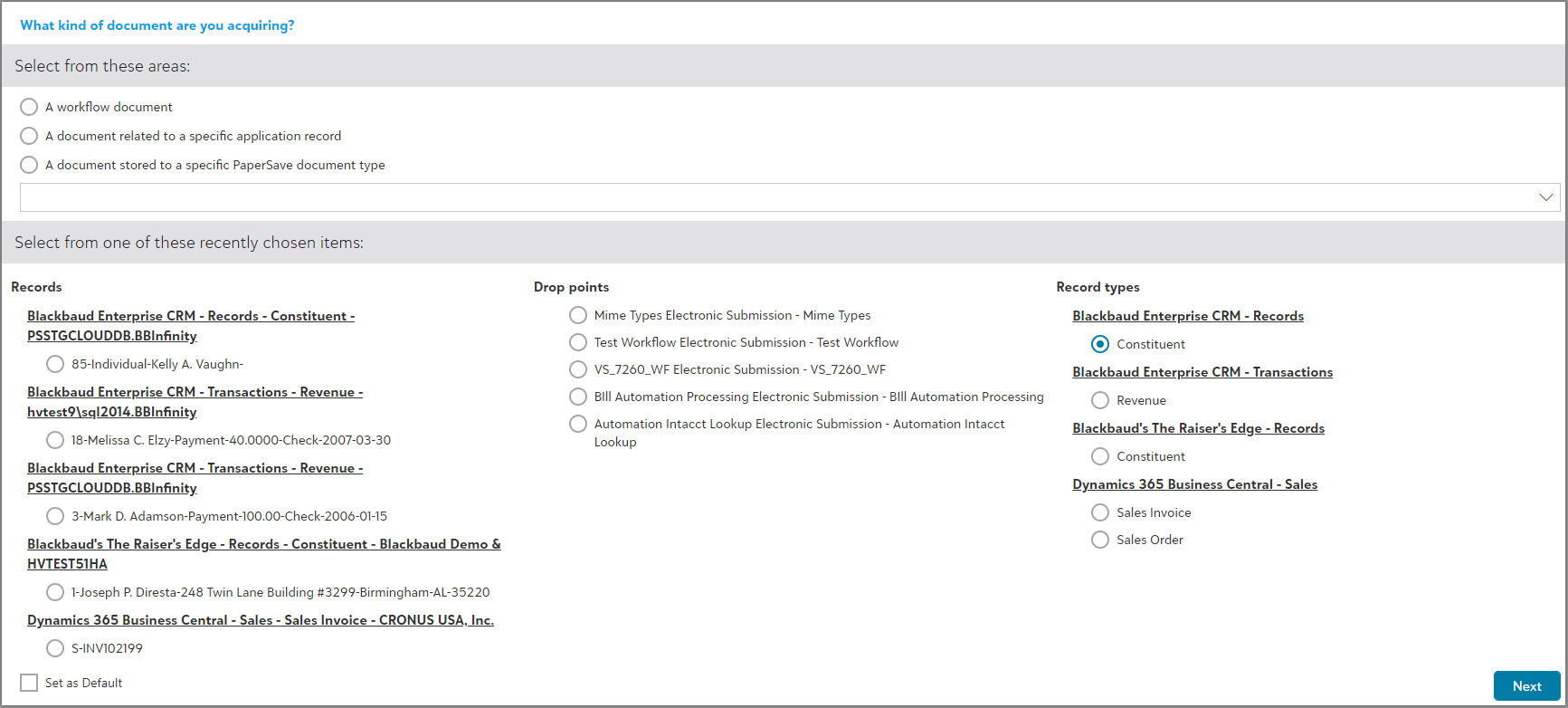
Follow the below steps to acquire recently added documents:
1) Select from the available record types, drop points, or records in the "Select from the one of the recently chosen items" section of the dialog box.
2) Click on "Next" option available at the bottom-right corner in the dialog box.
3) Add the document using the available file capture methods.
4) Submit the document to Workflow or integrated app record based on the type of method to selected to acquire the document.