Understanding Smart Forms
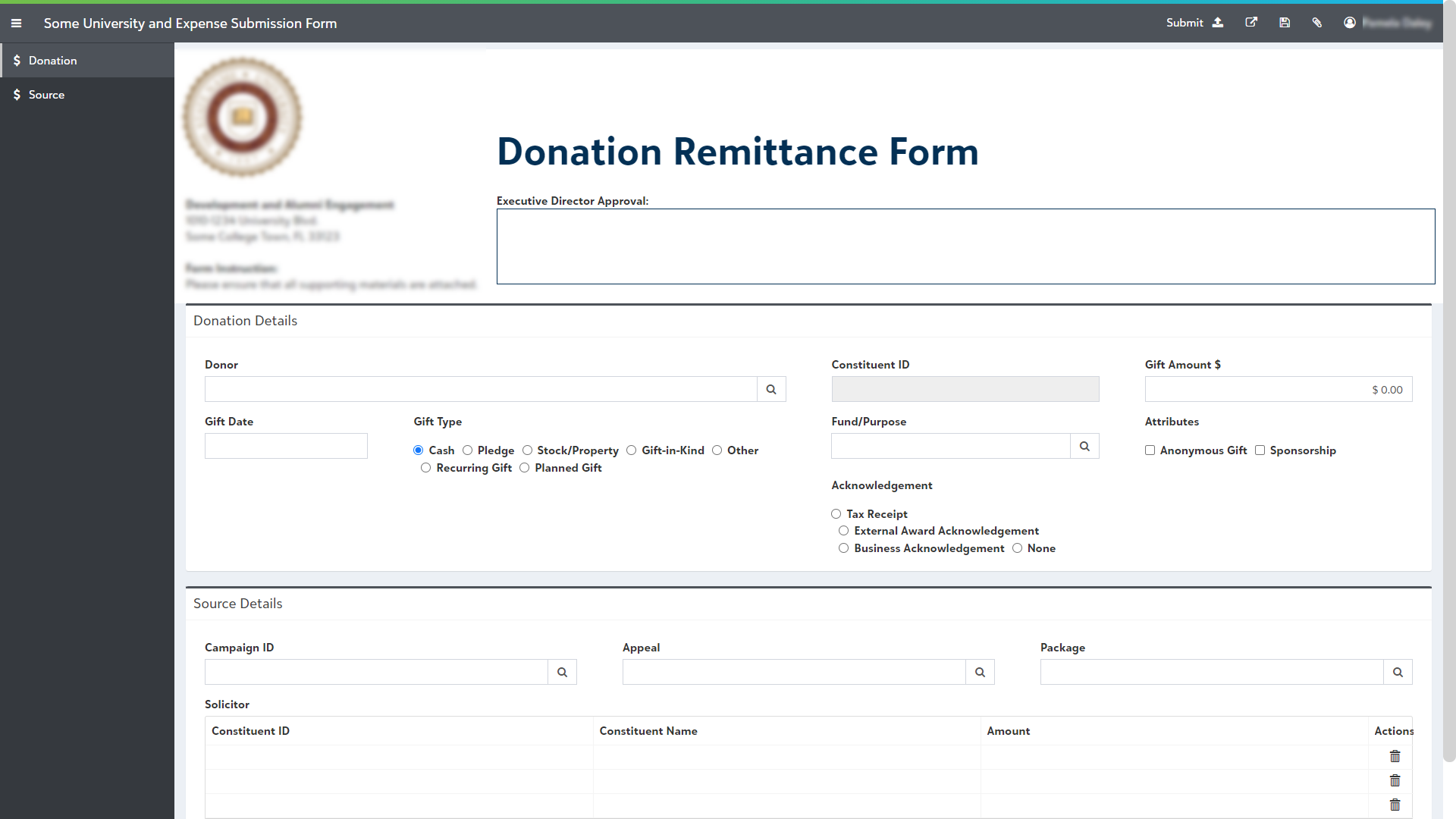
PaperSave Smart Forms provide you with the ability to generate workflow items by filling fields out in a friendly layout designed by workflow administrator. The forms can be accessed by internal users in your organization as well as the external users such as vendors, resellers, distributors, etc. who need to submit invoices, bill, or any other document by filling in the necessary details.
PaperSave enables Workflow administrator to design forms and open in the preview mode so that changes can be made in the design on the go and verified at the same time.
PaperSave facilitates creating Smart Forms with different output types such as pdf & docx. Once the user submits a Smart Form with output type as PDF, it creates a Workflow item (extension .docx.) based on the design of the smart form.
Similarly, PaperSave offers you to design a Smart Form with output type as Word Mail Merge where you can upload pre-defined Word templates. Once the user submits a Smart Form with output type as Mail Merge, it combines the data inputs submitted from the Smart Form design with the defined Word template (extension .docx.) This is typically useful for the documents such as agreement, contracts, etc where different users can submit their details in the smart form and it is further merged with the pre-defined Word Template, resulting in Workflow item with .docx extension.
A standard Smart Form appears as shown in the below screen where users can fill in the details and submit as a Workflow item: