
Reset Credentials
When you desire to clear your saved PaperSave credentials, you can select Reset Credentials option from the PaperSave Options window and restart the Raiser's Edge application.
Follow the below steps to reset the credentials:
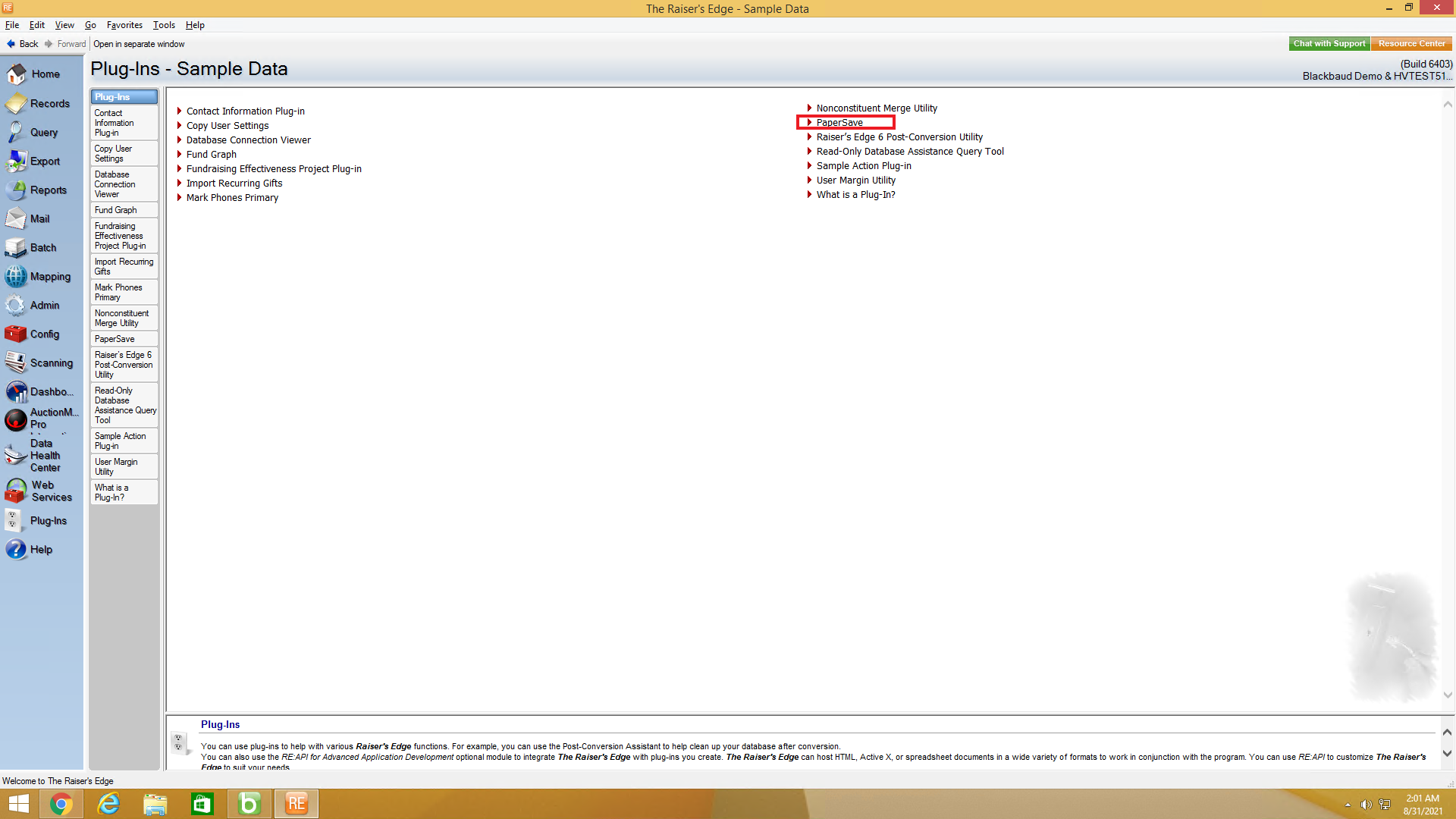
1) Go to Plug-Ins sections from Raiser's Edge bar and click on PaperSave to open PaperSave Options window.
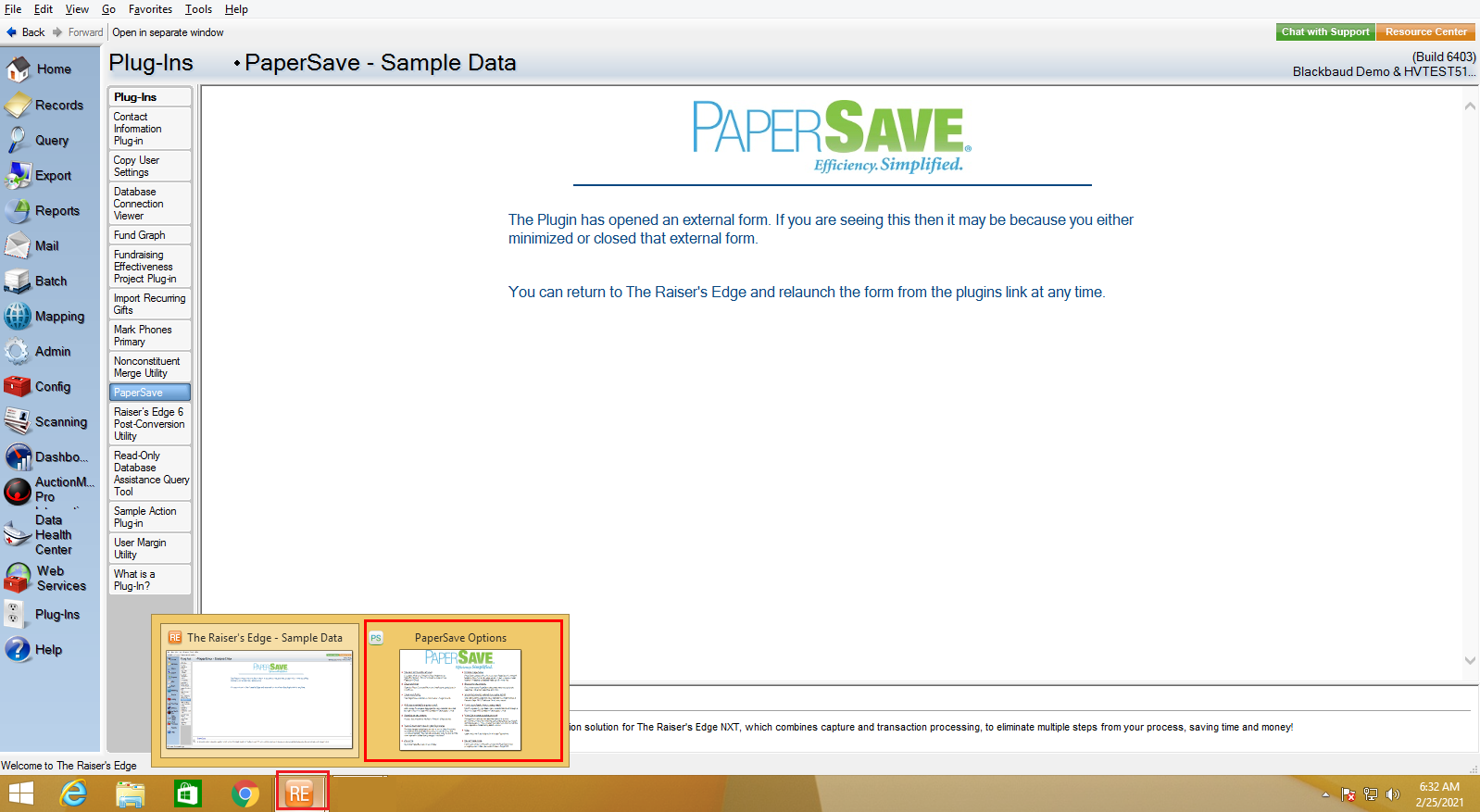
2) Once you click on PaperSave, it opens the PaperSave Options window, which gets automatically minimized. You can hover on the Raiser Edge application icon on the taskbar and select PaperSave Options to maximize the window, as shown in the below screen.
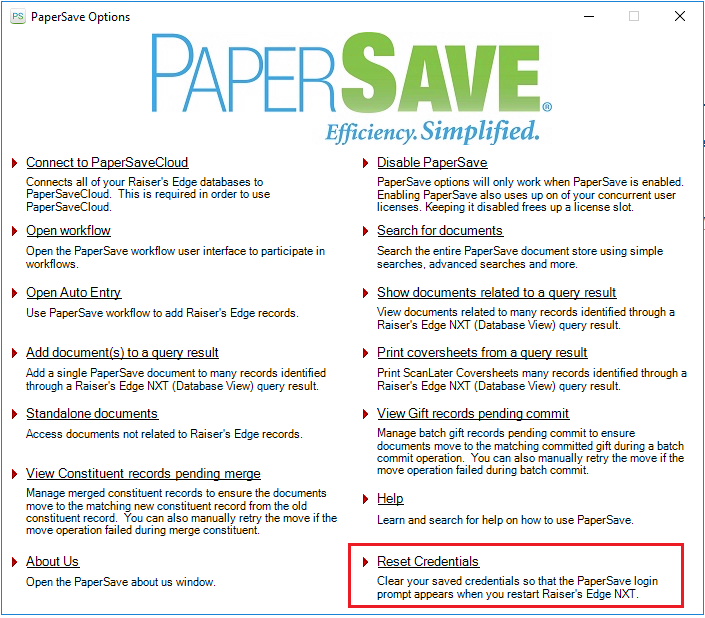
3) In PaperSave options window, select Reset Credentials as shown below and restart the Raiser's Edge application.
4) Once you open Raiser's Edge application, PaperSave login prompt will appear. Now, when you login to PaperSave, it will automatically save the credentials.